
Most websites are built to look good. Our websites are built to look good AND rank on Google. There is a massive difference between the two, and that difference often determines whether your website actually brings in customers or just sits there collecting digital dust.
Here is exactly how we approach SEO-friendly web design at Orrku Media, and why every decision we make during the design process is rooted in search performance.
Why Web Design and SEO Cannot Be Separated
Too many businesses treat web design and SEO as two separate projects. They hire a designer to build a beautiful site, then hire an SEO company to optimize it later. The problem is that many design decisions are nearly impossible to undo after launch. A slow-loading theme, poor URL structure, or missing semantic HTML cannot be patched over with keywords and backlinks.
When Orrku Media builds a website, SEO is baked into every layer from the very first wireframe. That means our clients launch with a site that Google can crawl, index, and rank from day one rather than spending months fixing foundational issues.
1. Speed Is a Ranking Factor
Google has confirmed that page speed is a ranking factor, especially on mobile. We build with Astro, a modern framework that produces pages that load in under 1 second.
Compare that to a typical WordPress site that takes 3-5 seconds to load. Every second of delay costs you roughly 7% in conversions.
Here is what we do to keep sites fast:
- Static HTML generation — pages are pre-built at compile time, so there is no server processing when a visitor loads your site
- Automatic image optimization — every image is converted to modern formats like WebP and AVIF, resized appropriately, and lazy-loaded so images below the fold do not slow down initial page rendering
- Minimal JavaScript — we only load the scripts that are actually needed on each page, unlike WordPress sites that often load dozens of unused plugins on every single page
- CDN delivery — static files are served from edge servers close to your visitors for the fastest possible load times
- No render-blocking resources — CSS and JavaScript are loaded in a way that does not block the browser from painting your page content immediately
Core Web Vitals
Google measures three specific metrics called Core Web Vitals that directly influence your rankings:
- Largest Contentful Paint (LCP) — how quickly the main content on your page becomes visible. We target under 1.5 seconds.
- Interaction to Next Paint (INP) — how quickly your site responds when someone clicks or taps. Our sites respond in under 100 milliseconds.
- Cumulative Layout Shift (CLS) — whether elements jump around as the page loads. We eliminate layout shift by specifying image dimensions and reserving space for dynamic content.
Our clients’ sites routinely score 95-100 on Google PageSpeed Insights across all three metrics. That is not just a vanity number. Google uses these scores to determine how your site ranks compared to competitors.
2. Clean, Semantic HTML
Search engines read your HTML structure to understand your content. We use proper heading hierarchy (H1, H2, H3), semantic elements (nav, main, article, section), and structured data markup.
This helps Google understand what your page is about and how to display it in search results.
What Semantic HTML Looks Like in Practice
Every page we build follows a clear document structure:
- One H1 per page that clearly states the primary topic
- H2 headings for each major section
- H3 headings for subsections within those sections
- Paragraph tags for body content, not divs styled to look like text
- List elements for items that are naturally lists, such as services, steps, or features
- Nav elements for navigation menus so Google understands your site structure
- Main elements to identify the primary content area
- Article elements for blog posts and standalone content pieces
- Footer elements for contact info, legal links, and secondary navigation
This structure creates a clear content hierarchy that search engines can parse instantly. When Google can easily understand what your page is about, it is far more likely to rank it for the right queries.
3. Mobile-First Design
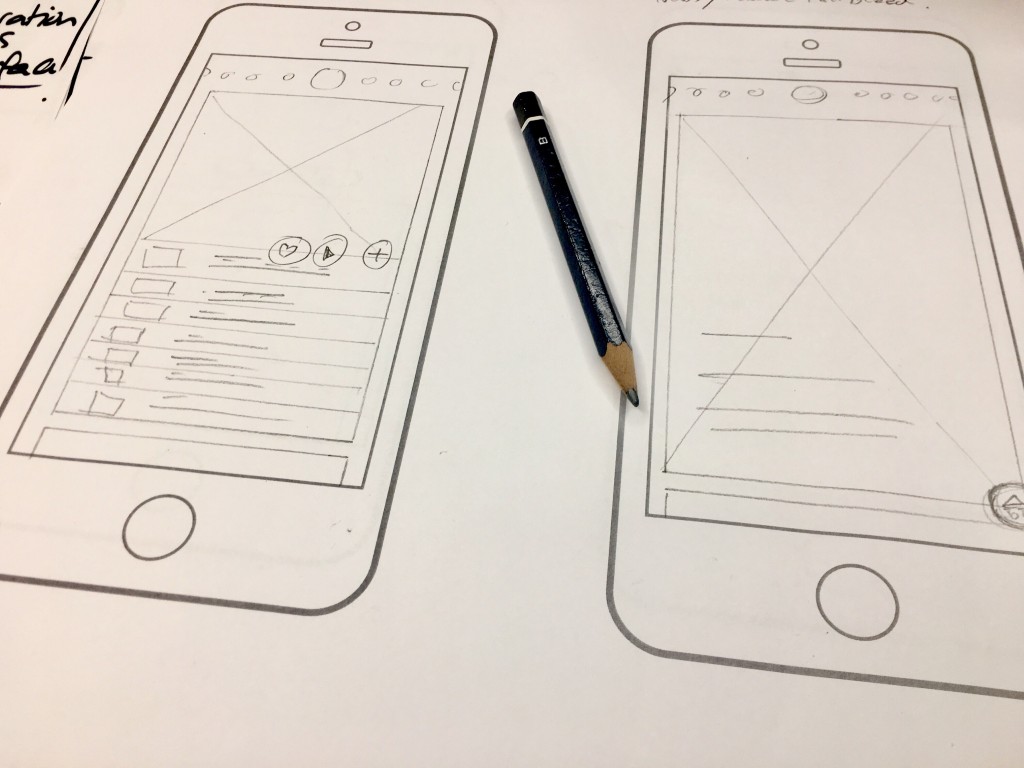
Google uses mobile-first indexing, meaning it primarily uses the mobile version of your site for ranking. We design mobile-first, then scale up for larger screens.
Every element is tested on real mobile devices, not just browser emulators.
What Mobile-First Actually Means
Mobile-first design is not just about making your desktop site shrink to fit a phone screen. It means we design the mobile experience first and then add complexity for larger screens. This approach ensures:
- Touch targets are large enough — buttons and links have at least 44x44 pixel tap areas so visitors do not accidentally tap the wrong thing
- Text is readable without zooming — body text is at least 16px on mobile with comfortable line spacing
- Content flows naturally — no horizontal scrolling, no overlapping elements, no text cut off by the screen edge
- Forms are easy to fill out — input fields are full-width on mobile with appropriate keyboard types (phone keyboard for phone fields, email keyboard for email fields)
- Navigation is thumb-friendly — important actions are within easy reach at the bottom of the screen
Over 60% of all Google searches happen on mobile devices. If your website does not deliver a flawless mobile experience, you are invisible to the majority of searchers.
4. Schema Markup (Structured Data)
We add JSON-LD structured data to every page — LocalBusiness schema, Service schema, FAQ schema, BreadcrumbList schema, and more. This helps Google display rich results like star ratings, FAQs, and business info directly in search results.
Rich results significantly increase click-through rates from search.
The Types of Schema We Implement
Here is a breakdown of the structured data we add to different page types:
- LocalBusiness schema — your business name, address, phone, hours, and service area. This is critical for appearing in the local map pack.
- Service schema — details about each service you offer, including descriptions and service areas
- FAQ schema — question-and-answer content that can appear as expandable dropdowns directly in search results, taking up more real estate on the results page
- BreadcrumbList schema — shows your site hierarchy in search results (Home > Services > Web Design), making it easier for users to understand where they are
- Article schema — for blog posts, including publish date, author, and headline
- Review/Rating schema — customer reviews and aggregate ratings that display star ratings in search results
- Organization schema — company-level information including your logo, social profiles, and founding details
Pages with structured data have been shown to earn up to 30% higher click-through rates compared to plain listings. That means more traffic from the same ranking position.
5. URL Structure Best Practices
Your URL structure matters more than most people realize. We follow these principles for every site we build:
- Short and descriptive —
/services/web-design/instead of/services/service-page-1/?id=47 - Keyword-inclusive — the URL itself contains the primary keyword for the page
- Logically nested — URLs reflect the site hierarchy so both users and search engines understand the relationship between pages
- Lowercase and hyphenated — no uppercase letters, no underscores, no special characters
- No unnecessary parameters — clean URLs without tracking parameters or session IDs in the path
- Consistent trailing slashes — every URL follows the same pattern to avoid duplicate content issues
A well-structured URL tells Google what the page is about before it even reads the content. It also makes your links look more trustworthy and clickable in search results.

6. Internal Linking Structure
Every page links to related services and blog posts. This helps search engines discover all your content and understand the relationship between pages. It also keeps visitors on your site longer.
How We Build Internal Links
Internal linking is one of the most underrated SEO tactics. Here is how we approach it:
- Service pages link to related services — your web design page links to your SEO page because clients who need a website often need SEO too
- Blog posts link to relevant service pages — every blog post includes natural links to the services mentioned in the content
- City-specific copy links to the right local page — when Orange County content discusses messaging for affluent coastal markets, we point readers to SEO copywriting instead of a generic service page; when the topic is website design Long Beach, the link should point to the Long Beach area page
- Related posts sections — at the bottom of each blog post, we display related articles to keep visitors engaged
- Breadcrumb navigation — every page includes breadcrumbs that create automatic internal links back up the site hierarchy
- Footer links — your footer includes links to all major sections and key pages
- Contextual anchor text — we use descriptive anchor text that tells both users and Google what the linked page is about
Strong internal linking spreads ranking authority throughout your site. When one page earns a backlink, that authority flows to connected pages through internal links.
7. Image Optimization
Images are often the heaviest elements on a page and the biggest performance killers. We handle image optimization automatically:
- Modern formats — all images are converted to WebP and AVIF, which are 25-50% smaller than JPEG and PNG with no visible quality loss
- Responsive sizing — we serve different image sizes based on the visitor’s screen size, so mobile users do not download a 2000px wide image
- Lazy loading — images below the fold only load when the visitor scrolls near them
- Descriptive alt text — every image has alt text that describes what it shows, helping Google Image Search and screen readers
- Compressed file sizes — images are compressed without visible quality loss to minimize download time
- Proper dimensions — width and height attributes are always specified to prevent layout shift
Common Web Design Mistakes That Hurt Rankings
We see these mistakes on client sites all the time when they come to us for help:
- Building on a slow platform — using bloated page builders or themes loaded with unused features that add seconds to load time
- Ignoring mobile — designing for desktop first and treating mobile as an afterthought
- Missing meta tags — no title tags, missing meta descriptions, or duplicate tags across pages
- No heading structure — using bold text instead of actual heading elements, or having multiple H1 tags on a single page
- Broken links — internal and external links that lead to 404 error pages, which waste crawl budget and frustrate users
- No SSL certificate — Google penalizes sites that do not use HTTPS encryption
- Duplicate content — having the same content accessible at multiple URLs without canonical tags
- No sitemap — failing to provide Google with a sitemap that lists all your pages
- Blocking search engines — accidentally blocking Google from crawling important pages through robots.txt or noindex tags
- Missing alt text on images — losing out on image search traffic and accessibility
What to Ask Your Web Designer About SEO
If you are hiring someone to build your website, ask these questions before signing a contract:
- What is your approach to page speed optimization?
- Will the site be mobile-first or mobile-responsive?
- Do you implement structured data markup?
- How do you handle URL structure?
- Will you set up proper redirects if I have an existing site?
- Do you write unique meta titles and descriptions for every page?
- What is your process for image optimization?
- Will the site include an XML sitemap?
- How do you handle internal linking?
- Can you show me Core Web Vitals scores from sites you have built?
If your designer cannot answer these questions confidently, your site will likely need significant SEO work after launch, which means additional cost and lost time.
The Result
Our clients’ websites consistently achieve 90+ scores on Google PageSpeed Insights and rank for their target keywords within months of launch.
The combination of technical excellence and SEO-first design means your website starts working for you from the moment it goes live, not months later after expensive optimization work.
Ready to Build a Website That Actually Ranks?
If your current website is not bringing in customers from Google, the problem might not be your SEO strategy. It might be how the site was built in the first place.
Learn more about our web design service or explore how our SEO services can accelerate your rankings. Ready to talk? Get a free consultation or call us at 714-732-8549.